
Every automotive die trial that fails costs money. Rework hours, scrap metal, delayed programmes, and press downtime stack up fast, and in high-volume stamping, even a single avoidable tryout cycle can wipe out weeks of project margin. The question is no longer whether to simulate, but how well your simulation is being used before the first blank hits the die.
At Dai-Ichi Tools, AutoForm simulation is embedded into every die programme from day one — not as an afterthought, but as the engineering foundation that every tooling decision is built upon. This article explains exactly how AutoForm reduces die trial costs, where it saves the most money, and why stamping engineers and procurement teams should demand simulation data before approving any tooling build.
What Is AutoForm Simulation in Metal Stamping?
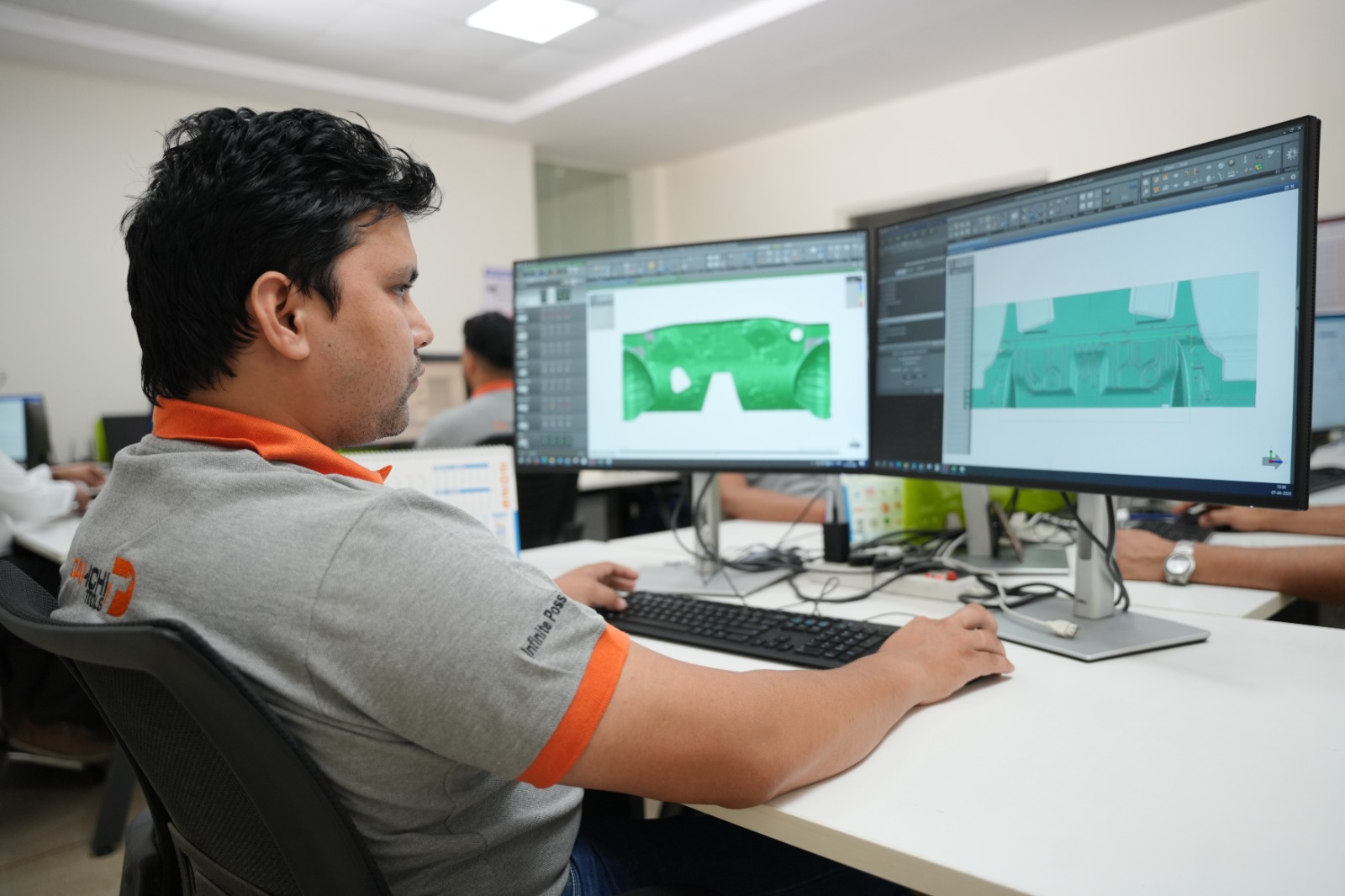
AutoForm is the industry-leading forming simulation software used by automotive OEMs and die manufacturers worldwide. It digitally replicates the entire sheet metal forming process — draw, trim, flange, restrike — using finite element analysis (FEA) to predict how a blank will behave under real press conditions.
Before a single piece of steel is machined, AutoForm tells the engineer:
- Where the material will split or crack under forming stress
- Where thinning will exceed safe material limits
- Where springback will cause dimensional deviation after forming
- Where wrinkles will form due to excess material compression
- Whether the current draw bead geometry and blank holder force are optimised
The Real Cost of Die Trials Without Simulation
To understand what AutoForm saves, you first need to understand what unguided die trials actually cost. In automotive stamping, a single die trial typically involves:
- Press time: 4–16 hours of press occupation per trial
- Engineering labour: die setters, process engineers, quality inspection
- Material waste: scrap blanks across each forming attempt
- Rework machining: weld and re-machine die sections that are cracking or wrinkling parts
- Programme delay: every failed trial pushes SOP dates and risks customer penalties
Industry data consistently shows that 3 to 6 physical tryout iterations are required for complex dies developed without forming simulation. With AutoForm-guided tooling, that number drops to 1 to 2 tryouts in most cases — and first-time-right tryouts are achievable for well-simulated programmes.
With AutoForm: 1–2 cycles
With AutoForm: Significantly reduced
With AutoForm: Minimal
With AutoForm: Low
With AutoForm: Rare
With AutoForm: 20–35% lower
With AutoForm: 4–8 weeks
6 Ways AutoForm Directly Reduces Die Trial Costs
1. Split and Crack Prediction Before Machining
Thinning analysis in AutoForm flags zones where the material will exceed its forming limit before the die is cut. Engineers can modify draw depth, blank shape, or draw bead positioning in the simulation environment — changes that cost hours in software but would cost days of rework on physical tooling. Catching a potential split before machining can save ₹2–8 lakh in rework costs on a single die section alone.
2. Springback Compensation Built Into the Die
Springback is one of the leading causes of dimensional rejection in automotive stampings — particularly for high-strength steels above 590 MPa and aluminium panels. AutoForm's springback prediction module calculates the exact elastic recovery of the part after forming, allowing the die geometry to be pre-compensated before machining. Without simulation, springback correction is done empirically on the press — an iterative, costly, and time-consuming process that can add 3–5 tryout cycles to the programme.
3. Blank Shape and Size Optimisation
AutoForm's blank optimisation module calculates the minimum blank size required to form a defect-free part. Oversized blanks that are traditionally used as a safety buffer are eliminated. Across a production run of 100,000 parts per year, even a 3–5% reduction in blank size translates to significant material cost savings — often exceeding the entire simulation investment within the first production year.
4. Draw Bead and Blank Holder Force Optimisation
Incorrect draw bead geometry and blank holder force settings are the two most common causes of wrinkling and splitting failures in deep draw operations. AutoForm allows engineers to virtually test dozens of draw bead configurations and blank holder pressure combinations in hours — selecting the optimal setup before the die ever reaches the tryout press. This eliminates the most time-consuming category of press floor debugging.
5. Process Window Definition
AutoForm defines the safe process window — the range of press speed, blank holder force, lubrication, and material property variation within which the part will consistently form acceptably. This is critical for production stability. Without a defined process window, production operators discover instability only after scrap parts appear on the line — often weeks or months into volume production.
6. Material Grade Validation
Not all steel coils from different heats behave identically. AutoForm allows engineers to test formability sensitivity across the acceptable range of incoming material properties — yield strength, tensile strength, n-value, r-value — before committing to a die design. This prevents the scenario where a die that passed tryout begins rejecting parts when a new coil lot arrives.
Where AutoForm Adds the Most Value: By Die Type
Savings: High
Savings: Very High
Savings: Very High
Savings: Medium-High
Savings: High
Savings: Medium
AutoForm Simulation at Dai-Ichi Tools
At Dai-Ichi Tools, AutoForm R12 is used on every die programme — from single-station flanging tools to complex 8-station transfer die sets for structural automotive parts. Our simulation workflow covers:
- Feasibility Analysis: Early-stage formability check on the part geometry before die design begins. This is the stage where part design changes are cheapest and most impactful.
- Die Face Design Validation: Addendum geometry, draw bead layout, and blank holder geometry are all validated in simulation before the die face model is released to machining.
- Springback Analysis and Compensation: Full springback prediction with die geometry compensation applied to the machining model — ensuring the first tryout parts are dimensionally close to nominal.
- Process Window Report: A documented process window delivered with every die, giving the customer's production team a validated starting point for press setup — reducing SOP ramp-up time significantly.
- Blank Optimisation Report: Final blank shape and size recommendations to support material cost reduction from day one of production.
FAQs: AutoForm Simulation and Die Trial Costs
How much does AutoForm simulation add to the tooling cost?Simulation fees typically represent 3–8% of total tooling cost depending on part complexity. However, the cost saving from reduced tryout iterations, rework elimination, and faster programme delivery consistently delivers a return of 5x to 10x the simulation investment — making it one of the highest-ROI line items in any die development programme.
Is AutoForm simulation necessary for simple dies?For straightforward blanking, piercing, or single-bend dies, simulation may not be justified. However, for any die involving draw operations, high-strength steel, aluminium, or complex flanging sequences, simulation is strongly recommended. The cost of one avoidable rework cycle will always exceed the simulation fee.
Can simulation completely replace physical die trials?No — and any supplier who claims otherwise should be approached cautiously. AutoForm dramatically reduces the number of trials and the severity of corrections required, but physical tryout on real material in a real press remains the final validation step. The goal is first-time-right tryout, not zero tryout.
What material grades does AutoForm simulation support?AutoForm supports the full range of automotive sheet materials — mild steel, high-strength steel (HSS), advanced high-strength steel (AHSS) up to 1180 MPa, hot-formed boron steel, aluminium alloys (5xxx and 6xxx series), and stainless steel. Material cards for all major steel and aluminium suppliers are available within the software database.
Does Dai-Ichi Tools share simulation reports with customers?Yes. Dai-Ichi Tools provides full simulation reports — including thinning plots, springback results, process window data, and blank optimisation outputs — as standard deliverables for every die programme. These reports support customer DRs (design reviews) and provide documented evidence of process validation.
At what stage of die development should simulation begin?Ideally at the feasibility stage — before die face design begins. The earlier simulation is introduced, the cheaper any necessary changes are to implement. Simulation introduced only at the die face design stage still adds significant value, but some of the highest-impact geometry changes (part addendum, draw direction) may already be locked.
Ready to Cut Your Die Trial Costs with AutoForm Simulation?
At Dai-Ichi Tools, every die programme begins with simulation — not because it is an industry requirement, but because it is the most reliable way to protect your tooling investment, compress your development timeline, and deliver first-time-right tryout results.
If you are planning a new die programme and want to understand exactly how simulation can reduce your trial costs and material waste, our engineering team is ready to walk you through it. What you get with every Dai-Ichi die programme:
- AutoForm R12 simulation as standard — not optional
- Full thinning, springback, and process window reports
- Blank optimisation for material cost reduction
- Tryout presses up to 1,600 tonnes on-site in Faridabad
- Transparent simulation deliverables shared at every design review
Dai-Ichi Tools - Faridabad, India